
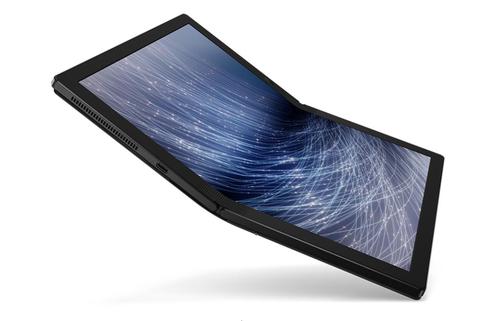

Lenovo ThinkPad X1 Fold Hybrid 2in1 13.3 Inch Touchscreen Notebook Intel Core with Intel Hybrid Technology 8GB 512GB SSD Windows 10 Pro
Description
Of course the ThinkPad X1 Fold provides a split-screen experience, just as the name suggests. Fold it like a book for two side-by-side displays—perfect for when you want to compare something, take notes, read, or just multitask. Turn it so the split screen appears top to bottom, and you can sketch, jot notes, or use the on-screen keyboard to type.
With a brilliant and seamless folding OLED screen, the ThinkPad X1 Fold provides a full 13.3” 2K display. When you want to browse online, stream a video, or watch a presentation, you can use it like a tablet, relying on the built-in kickstand or the optional easel to hold it up.
With Lenovo Mode Switcher app, the ThinkPad X1 Fold orients windows on the screen to however you want to use them. It quickly and easily allows you to split the screen in two or use full width for one large display. It also automatically adjusts to display the on-screen keyboard when you need it.
Specifications
Lead Time
1
Brand
Lenovo
Categories
Computers
Category
Notebook PCs
Manufacturer
Lenovo
Type
Notebook PCs
Lenovo ThinkPad X1 Fold Hybrid 2in1 13.3 Inch Touchscreen Notebook Intel Core with Intel Hybrid Technology 8GB 512GB SSD Windows 10 Pro

